
Inform your Partners about customer protection messages
Learn what customer protection messages are and what your Partner-facing documentation needs to cover so your Partners know what a warning or stop means and what they can do.
5 min read
Klarna may show warning and stop messages to a Partner's customers in the Klarna Purchase Journey. Your Partners need a clear explanation of what these messages are, why they appear, and what they can do about them. This article explains what to cover in your Partner-facing documentation.
Why document this for your Partners
Customer protection messages appear in the Klarna Purchase Journey — the screen a customer reaches after choosing Klarna at checkout to complete their payment. Only customers signed in to their Klarna account see them.
Klarna shows these messages to protect customers when there's reason to be cautious about a Store. Depending on how serious that reason is, a message either warns the customer while still letting them complete the purchase, or stops the purchase with Klarna altogether. Document this on your own site so, when a message appears, Partners know what it means for their Store and what they can do next.
You can also link to Klarna's Partner-facing documentation.
What your documentation must cover
Why a message appears
There are two reasons a Store gets a customer protection message:
- Customer-reported issues — customers have raised issues about the Store at an unusually high rate.
- Other critical issues — issues that prevent customers from transacting with Klarna at the Store.
Message types
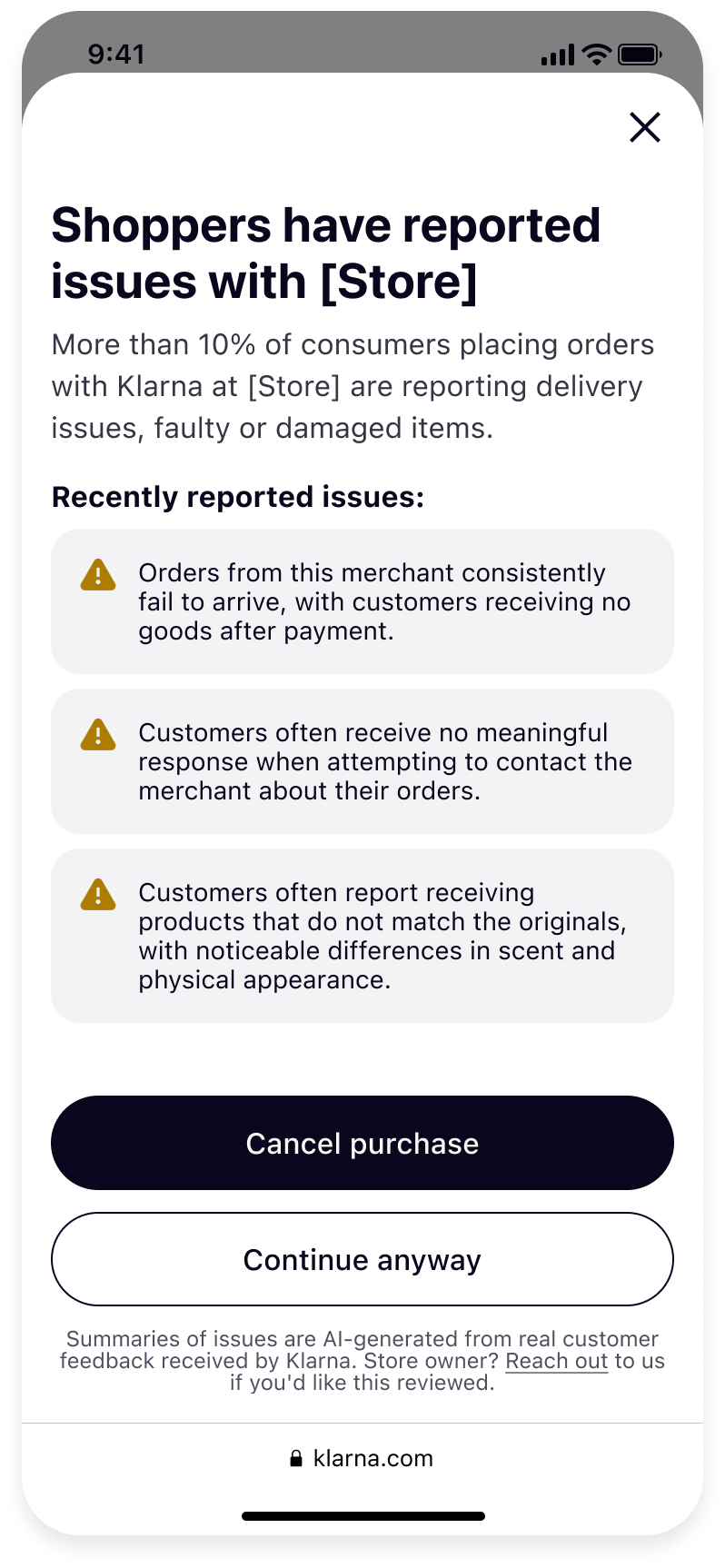 | 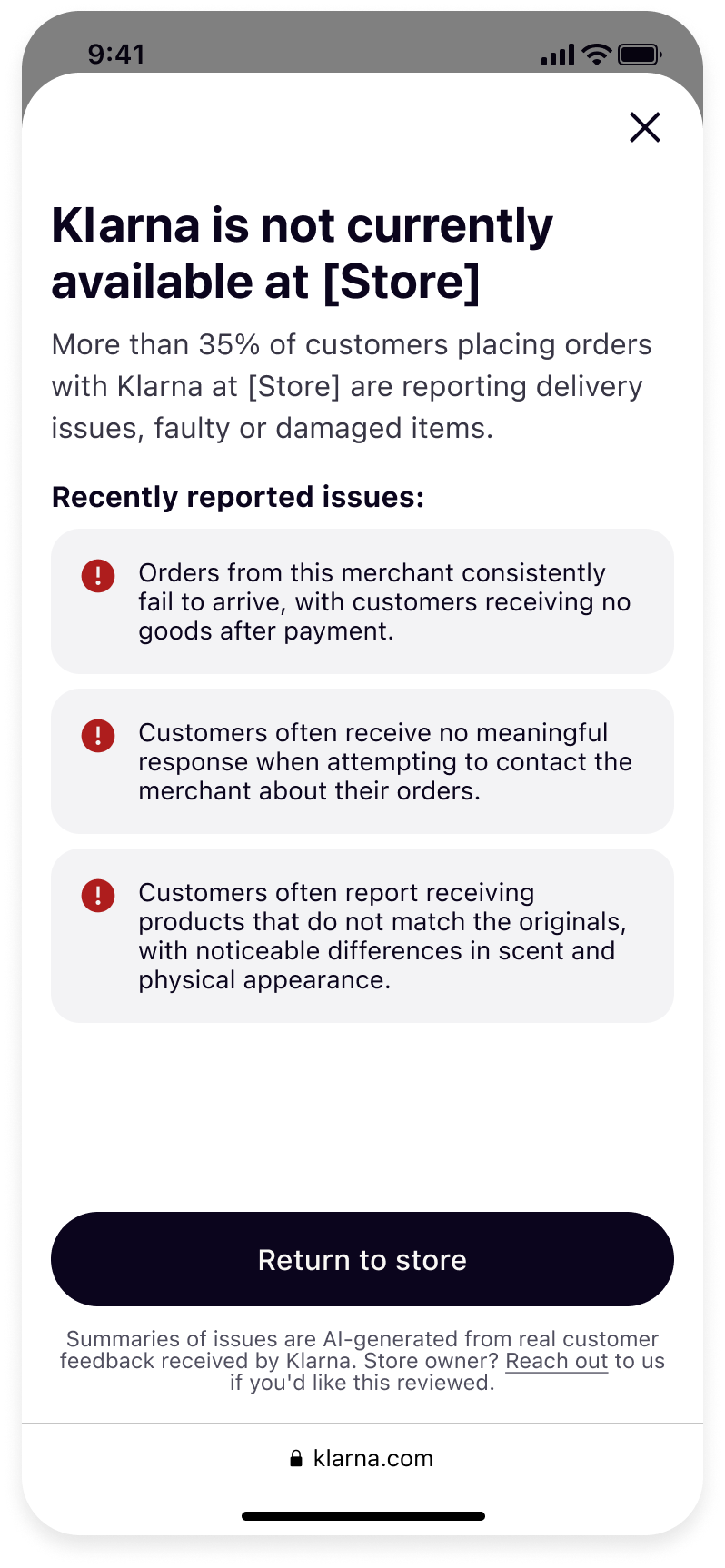 | 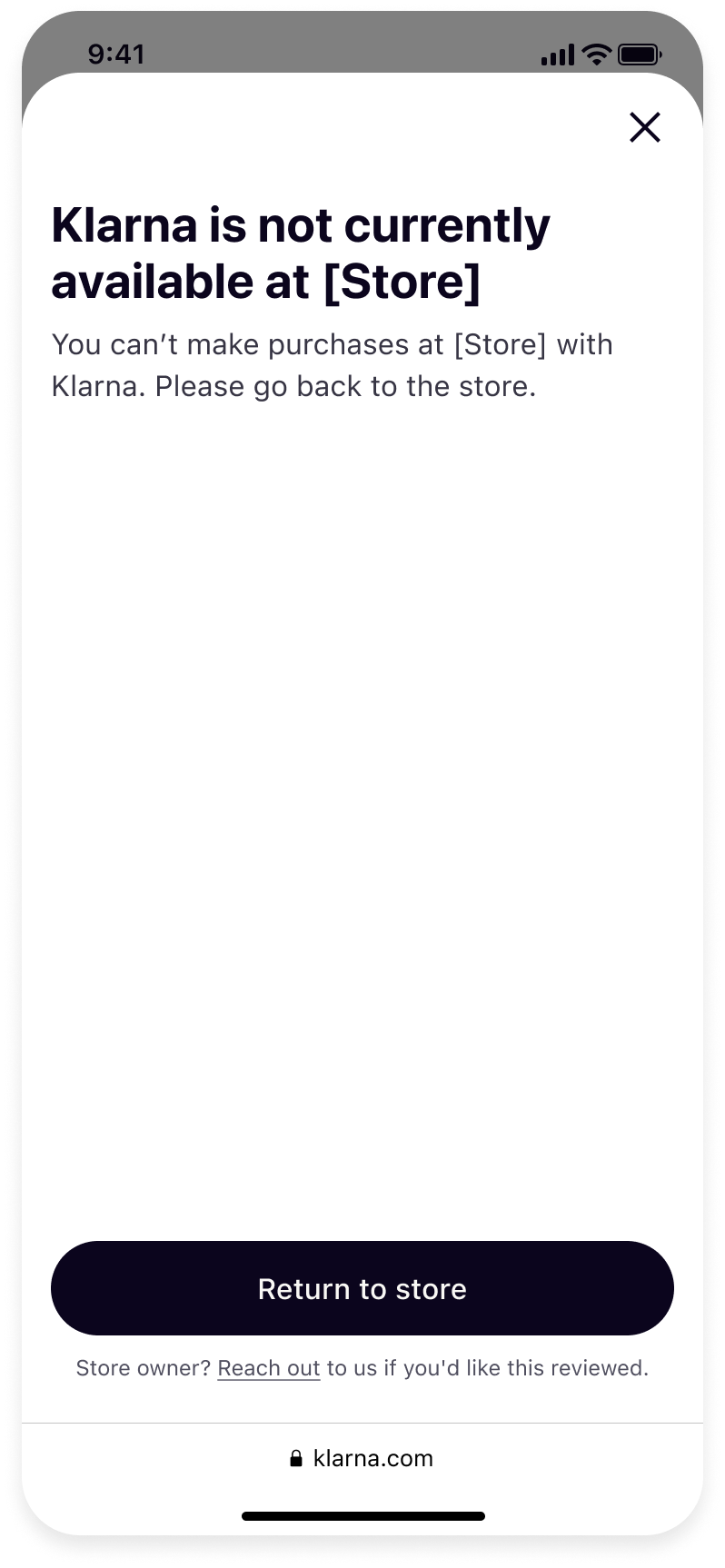 |
| Warning message (customer-reported issues) | Stop message (customer-reported issues) | Stop message (other critical issues) |
Explain the difference between the three types of messages, and which reasons lead to each:
| Message | What it means for the customer | When it's shown |
|---|---|---|
| Warning message | The customer can cancel the purchase with Klarna or complete it. | Customers have reported issues at an excessive rate. |
| Stop message (customer-reported issues) | The customer can't complete the purchase with Klarna at the Store. | Customer-reported issues are at an unacceptable rate. |
| Stop message (other critical issues) | The customer can't complete the purchase with Klarna at the Store. | Other critical issues that prevent customers from transacting with Klarna. |
Other critical issues always lead to a stop, never a warning.
What the customer sees
The content of the message depends on why it's shown:
- Customer-reported issues — the message includes the Store's recent dispute rate, the types of issues customers raised, and short AI-generated summaries of those issues.
- Other critical issues — the customer sees a stop message that Klarna isn't available at the Store, with no further detail.
What the Partner can do
Reach out in the Klarna Purchase Journey
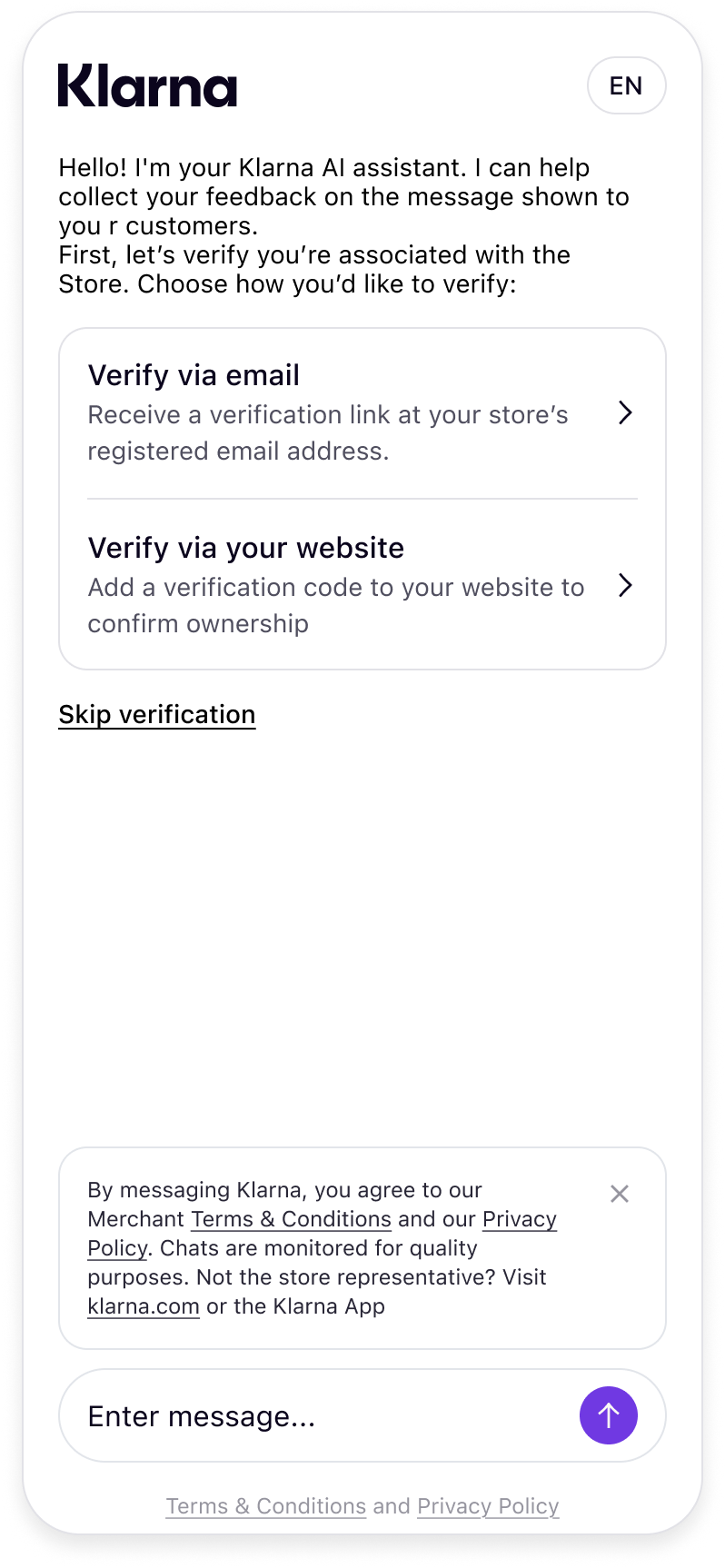
Every customer protection message includes a Reach out link in the footer of the Klarna Purchase Journey. It opens a chat with Klarna. The chat is available 24/7, and Partners can ask to speak or chat with a Klarna representative. Tell your Partners they can use it to share context or request a review. For customer-reported issues, they can also dispute the message through Reach out by showing that what was wrong has been fixed. A customer-reported stop may be removed when they do. It stays in place when they do not. They can also contact you if they need further help.
While optional, tell your Partners that Klarna encourages them to verify that they're associated with the Store through one of the following methods:
- 1.Klarna Partner Portal Support ID — Partners with access to the Klarna Partner Portal can enter the Support ID associated with their account. They can find it in the Support section, on the Support ID page.
- 2.One-time code by email — Klarna sends a one-time verification code to the email address on file for the account. The Partner enters this code to confirm their identity.
- 3.Website verification meta tag — the Partner adds a verification meta tag to their website's homepage to confirm they have administrative control over the domain linked to their Klarna account. Instructions for adding the verification tag are available through the Reach out link.
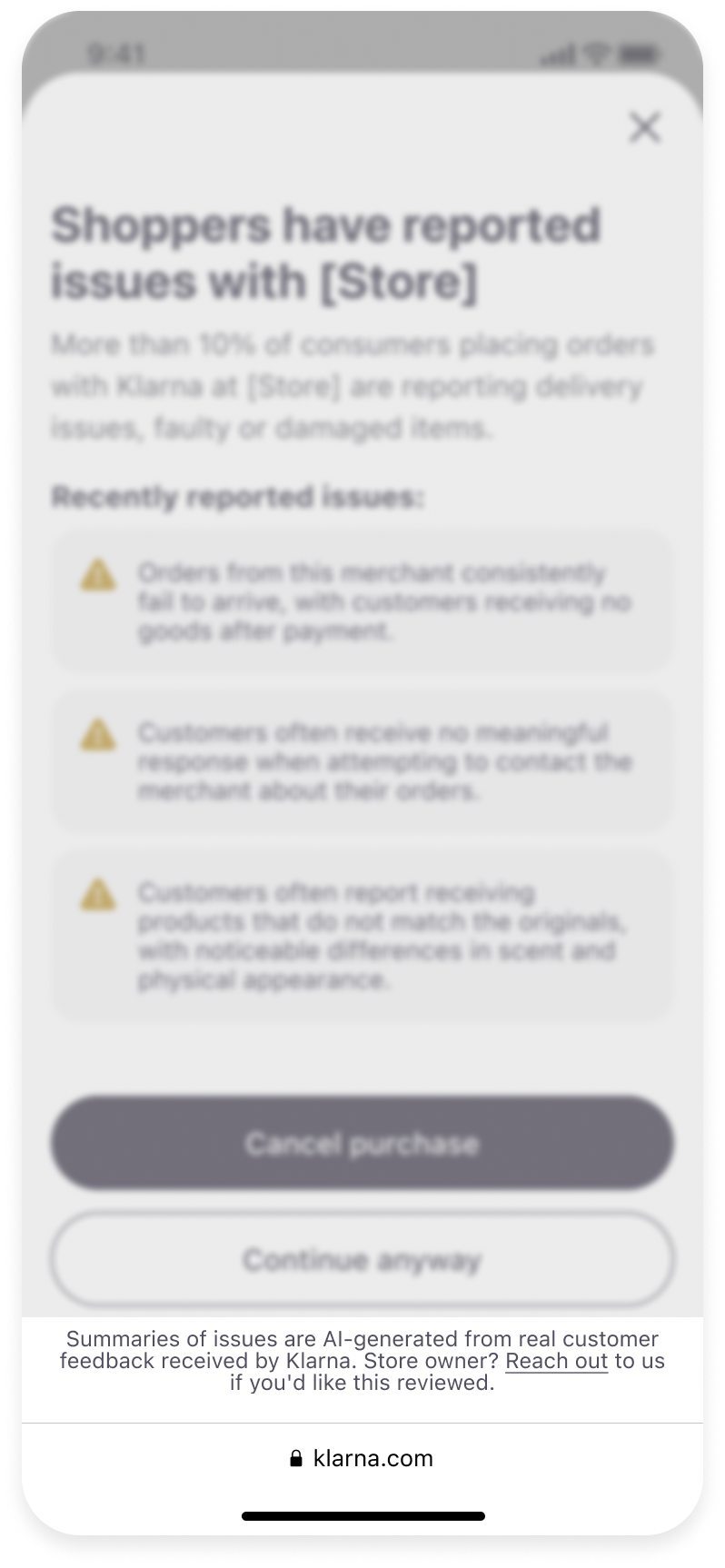 |  |
| Click "Reach out" in the footer | Access chat |
Check registered contact details
Also tell your Partners to look for further information that may have been sent to the contact details registered for their Store. That communication can only come from you.
Keep those contact details up to date so anything you send about a warning or a stop reaches them. Partners can also contact you if they need further help.
Jump to section...