

OSM Placements
On-Site Messaging placements showcase Klarna payment options and promotions at key moments in the customer journey.
10 min read
On-Site Messaging placements overview
On-Site Messaging placements are containers that hold Klarna messaging assets and are placed on recommended pages of your store based on type. There are two types: (1) site-wide placements, that are shown across multiple pages to ensure consistent visibility, and (2) product and cart placements, shown in context-specific areas like product or cart pages to reinforce messaging at key decision points.
Site-wide placements
- Top Strip: A persistent banner that reminds customers Klarna is available, with a brief message explaining flexible payment options—building early awareness from the first touchpoint.
- Footer: Klarna’s logo is shown alongside other accepted payment methods, reinforcing trust and availability without disrupting the user experience.
- FAQ Page: A dedicated, localized landing page that explains how Klarna works, answers common questions, and supports decision-making with transparent information.
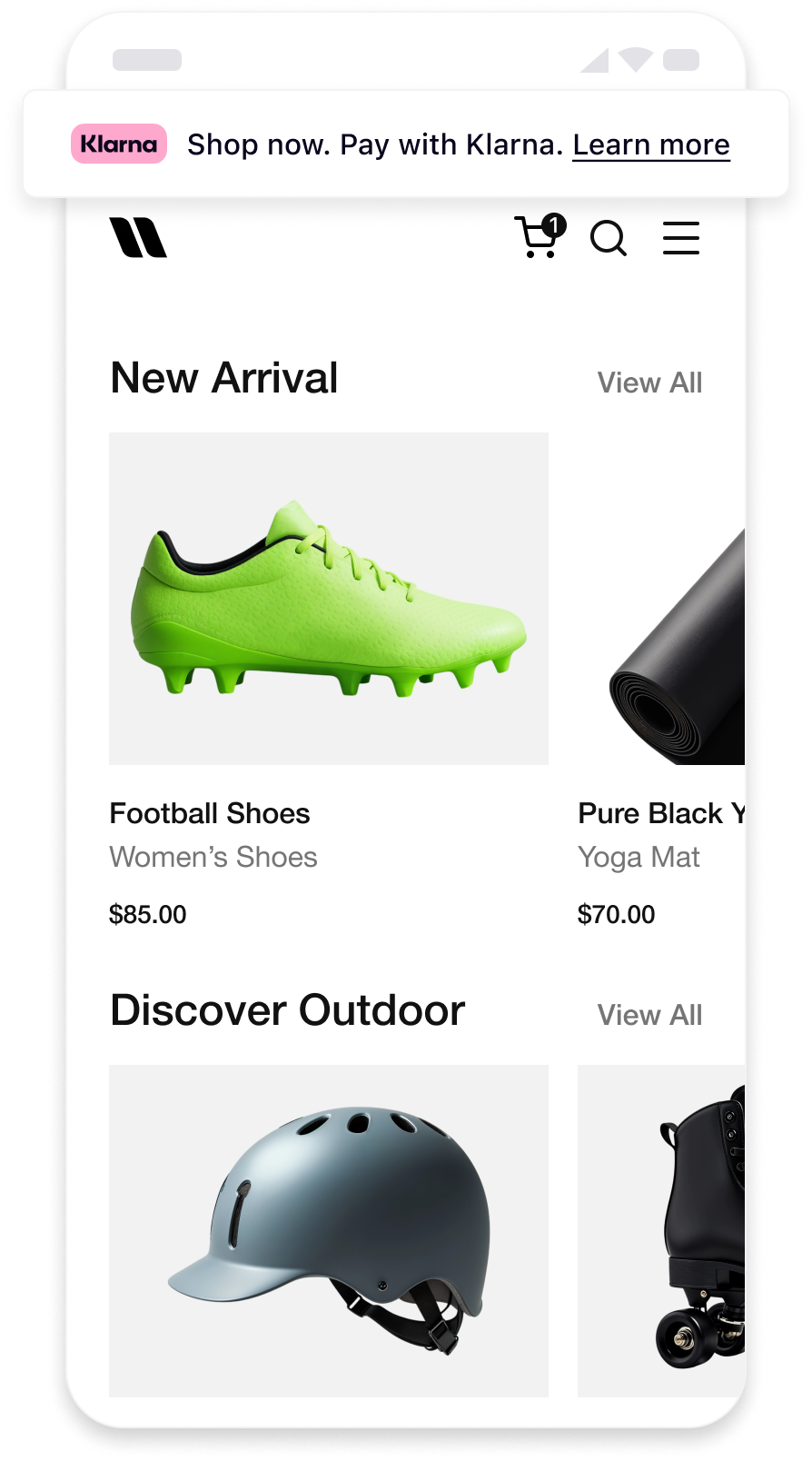 | 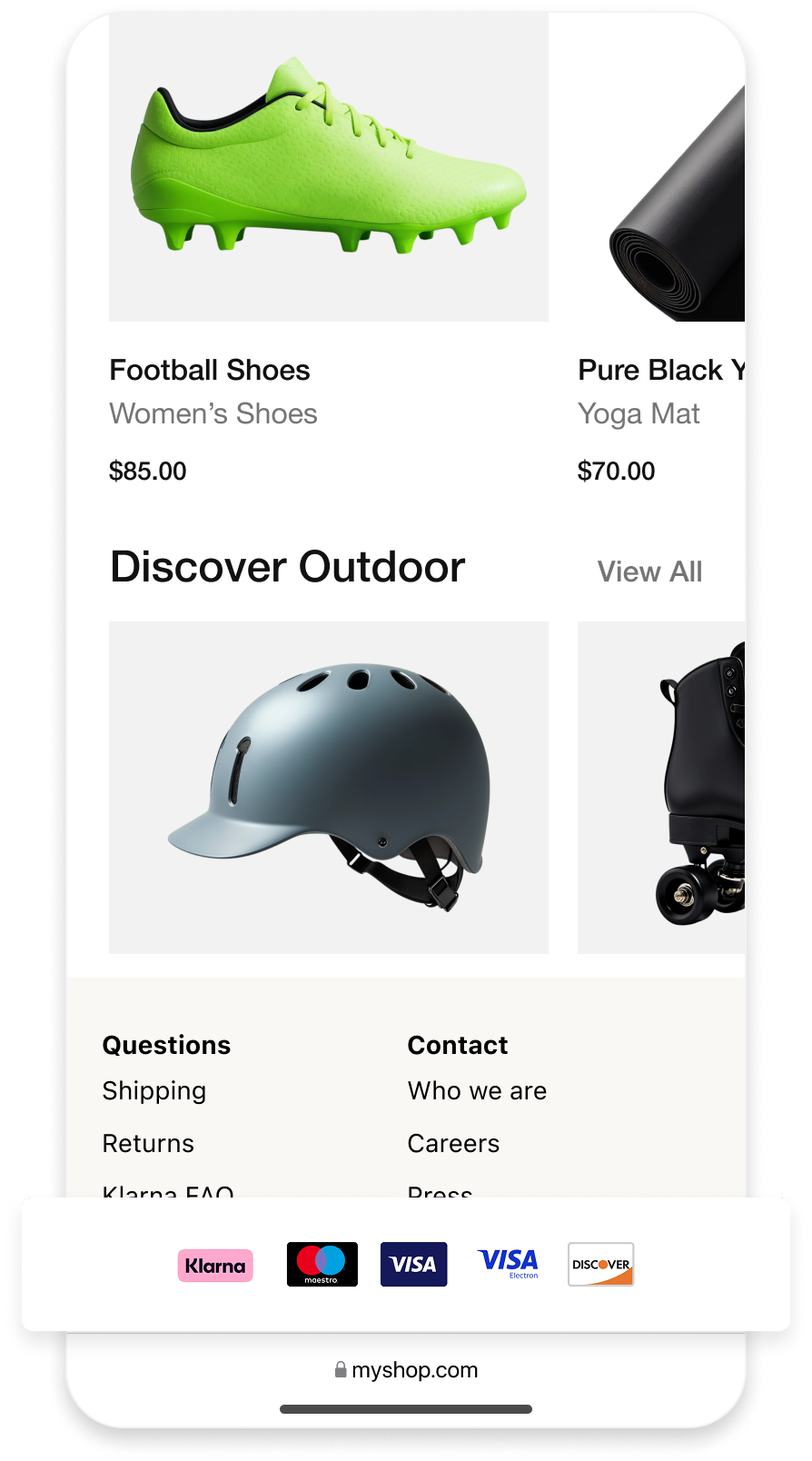 | 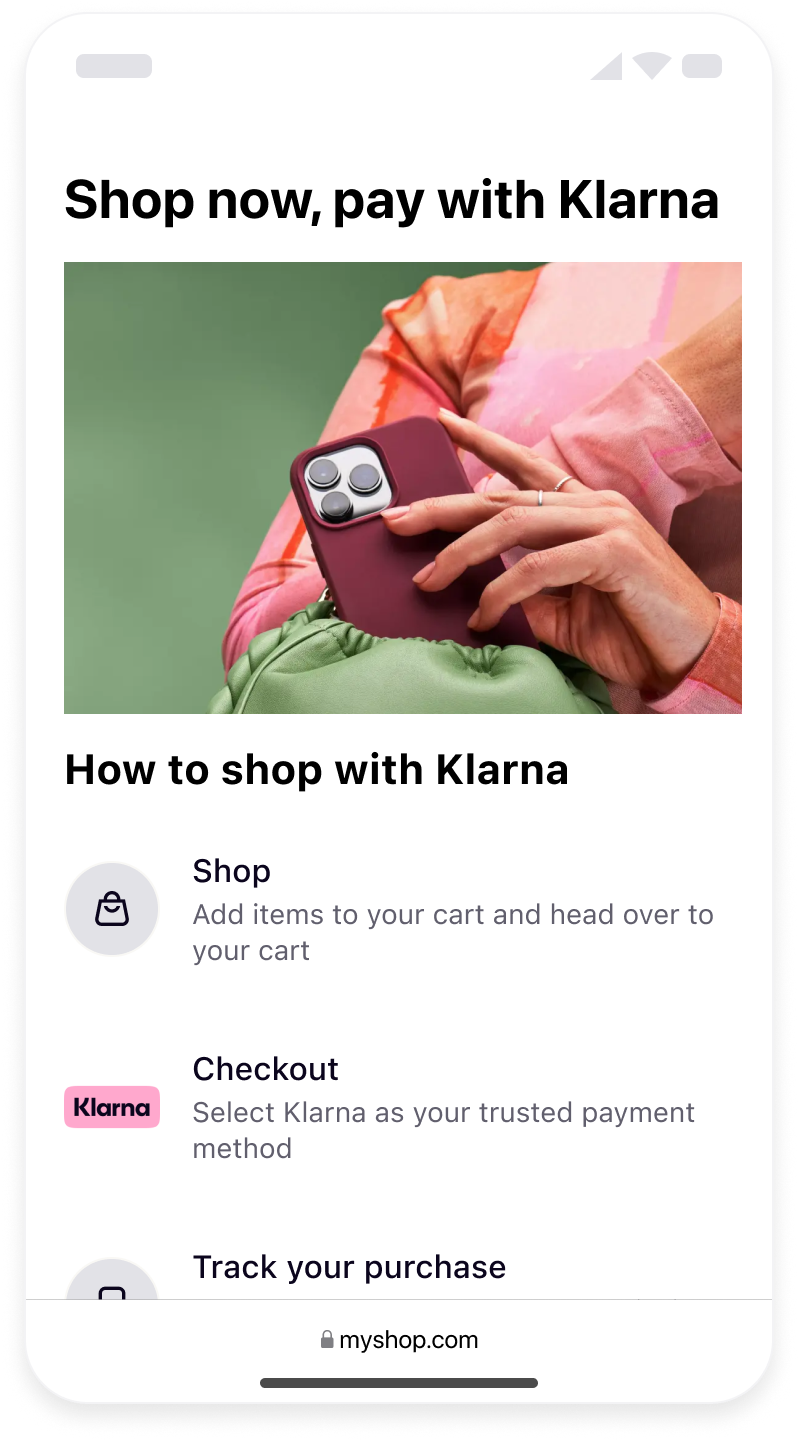 |
| Top strip site-wide | Footer site-wide | FAQ page |
Each placement has an unique key that should be used in order to specify the placement to be displayed. A small JS snippet using
klarna. should be used to pass the necessary parameters.Recommended for integration
Where a placement type offers both a badge and an auto-size variant, prefer the badge variant. Placements that display Klarna's badge have shown higher conversion, since Klarna's customer base readily recognizes the branded logo.
| Placement types | Options |
|---|---|
top-strip-promotion-badge | Recommended as static at the top of the pages of your online store. Displays interactive Klarna messaging with Klarna's logo. Your customers can click on it and expand the information on the payment methods. |
top-strip-promotion-auto-size | Renders the same message as top-strip-promotion-badge, but without Klarna's logo. |
footer-promotion-auto-size | Recommended static asset at the bottom of every page of your online store showcasing the payment methods offered via Klarna. |
info-page | Displays a FAQ to clarify common questions about buying with Klarna. The FAQ is dynamic based on your configuration and offered payment methods. |
Product and Cart placements
Personalized messages tailored to the total value in cart or product page, highlighting Klarna’s best available payment options to drive confidence and conversion at key decision points. |}
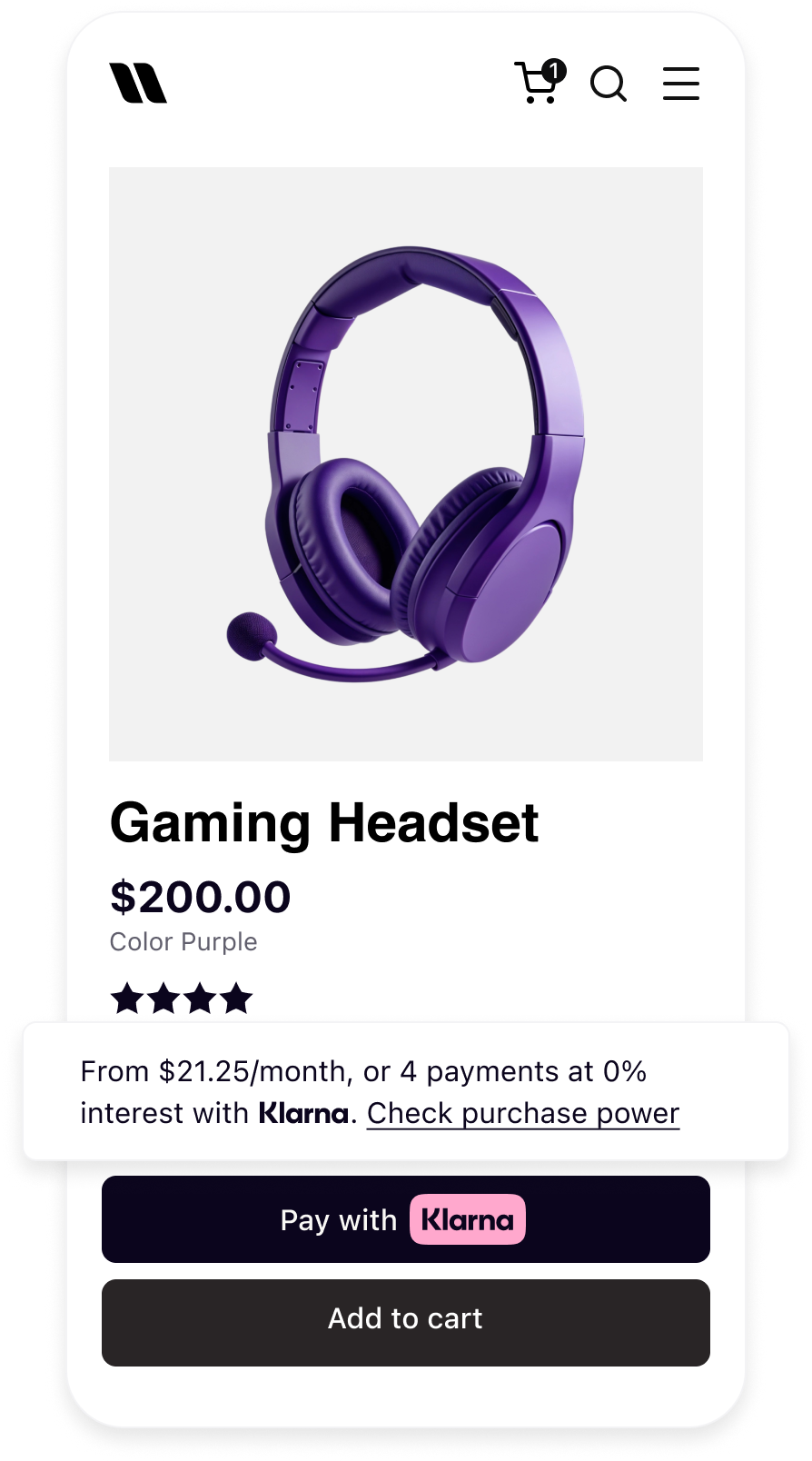 | 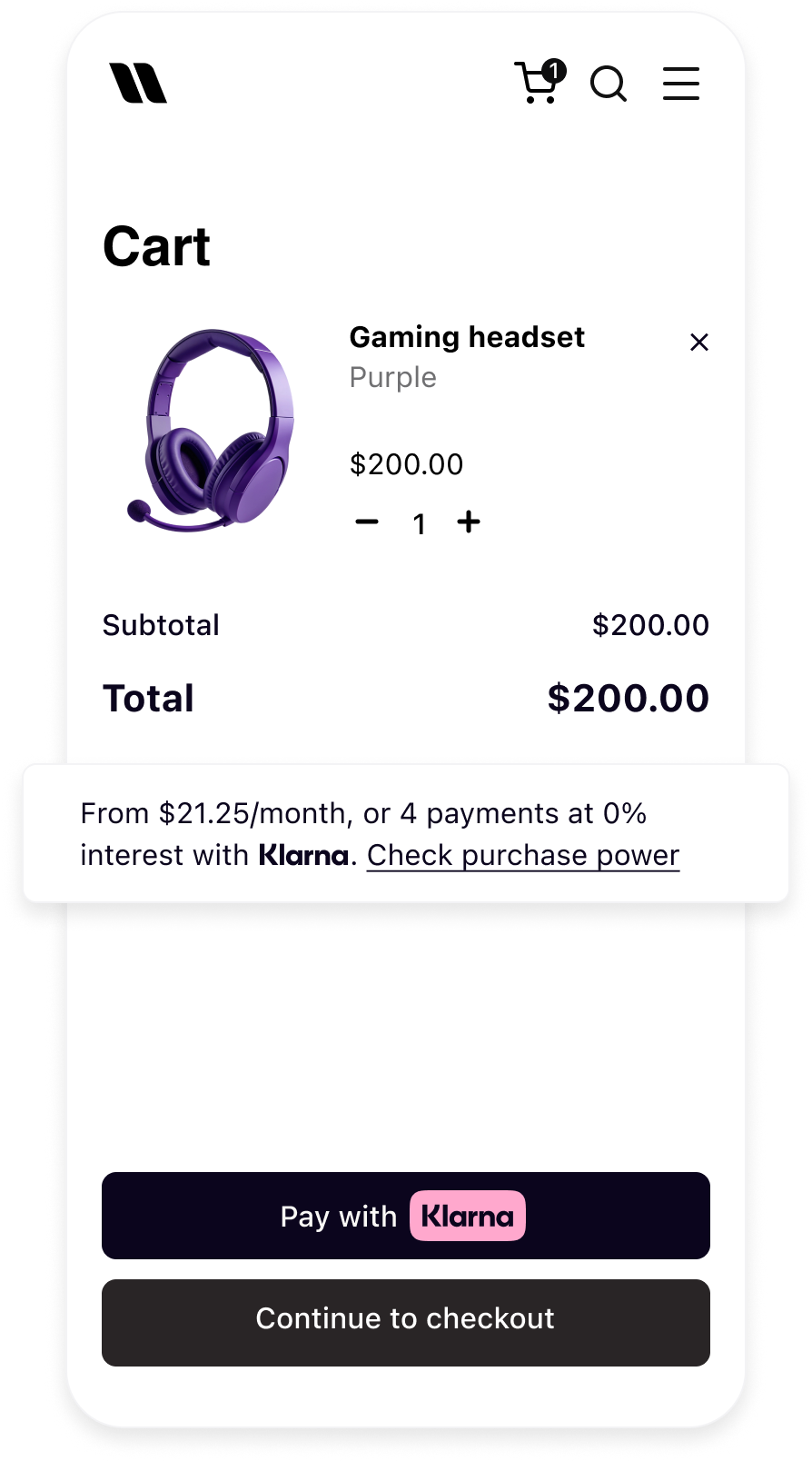 |
| Product detail page with On-site Messaging | Cart page with On-site Messaging |
Each placement has an unique key that should be used in order to specify the placement to be displayed. A small JS snippet using
klarna. should be used to pass the necessary parameters.| Placement types | Characteristics |
|---|---|
credit-promotion-badge | Displays interactive Klarna messaging with Klarna's logo. Your customers can click on it and expand the information on the payment methods with calculated prices. |
credit-promotion-auto-size | Renders the same message as credit-promotion-badge, but without Klarna's logo. |
On-site Messaging placements allow you to display Klarna payment options and promotions at key points in the customer journey (e.g., product, cart, or site wide). This increases customer awareness of flexible payment options and can boost conversion rates.
Customize Placements with CSS
On-site messaging renders its content within a shadow DOM to prevent the styles from being accidentally applied to the pages that host the placements. This ensures that the styles on the host pages don't interfere with the content of the on-site messaging
JAVASCRIPT
1
2
3
4
5
6
7
klarna.Messaging.placement({
key: 'credit-promotion-auto-size',
locale: 'en-GB',
amount: 20000,
theme: 'default',
}).mount('#osm-placement');
This renders the following shadow DOM structure:
HTML
1
2
3
4
5
6
7
8
9
10
<klarna-placement data-key="credit-promotion-auto-size" data-locale="en-GB" data-purchase-amount="20000"
data-theme="default">
  #shadow-root
    <div part="osm-container" data-testid="credit-promotion-auto-size" class="container default auto-size">
        <div style="height: auto; width: 100%; display: inline-block;"
              class="loaded default credit-promotion-auto-size">

            <p part="osm-message" class="text osm-message">
                Pay with Klarna.
Informational modal styling unsupported
Styling of informational modal that appears after a customer clicks a click-to-action button is not supported. As this area is dedicated to informing customers about the financial services provided by Klarna.
We don't offer support for custom styling the informational modal that appears after a customer clicks a click-to-action button. As this area is dedicated to informing customers about the financial services provided by Klarna, we want to maintain Klarna's own branding.
CSS Styling Guidelines
- To add the CSS styling, you need access to the source code of your website.
mount()takes the selector of a container element that must already exist on your page — the SDK inserts the placement into it.- We recommend setting the
idoption when callingklarna.. The SDK applies thisMessaging. placement() idto theklarna-placementelement it creates, which is the element hosting the shadow root and exposing the::part()selectors — so use thisid, not the mount container's, to target the placement with CSS. - You're responsible for ensuring that styling the on-site messaging with CSS doesn't compromise the accessibility of your website. For example, you need to verify that the contrast between the message and the background is sufficient for people with low vision to read the message. You can use Chrome DevTools to help detect any accessibility issues.
Part API
To enable styling of the placements with CSS from outside the shadow DOM, we use the ::part API to expose certain elements of the placements that can be styled. Only elements of the placement that have the part attribute can be targeted with CSS for styling purposes. This allows you to customize the appearance of the placements without interfering with the content within the shadow DOM.
Limitations of Part API
The Part API has some limitations you have to keep in mind when using the Part API to style the placements.
- You can't style an element that doesn't have a
::partattribute. - You can't target elements that are nested within an element that has the
::partattribute. For example, the following CSS selector won't work:
CSS
1
2
klarna-placement::part(osm-container) p { ... }
- You can't query the elements that have parts of JavaScript. For example, the following code won't work:
CSS
1
2
querySelector('::part(osm-cta)')
Part pseudo-elements
Here's the list of exposed
::part pseudo-elements:| Pseudo-element | Description | Placement types |
|---|---|---|
::part(osm-container) | The wrapping element of the placements is the container that surrounds the placement. You can style it with the ::part(osm-container) selector. |
|
::part(osm-message) | The main text of a placement is the primary message that is displayed within the placement. You can style it with the ::part(osm-message) selector. |
|
::part(osm-legal) | The legal text that appears under the main message in some markets is an important piece of information that must be clearly visible and readable to the customers. You can style it with the ::part(osm-legal) selector. It's essential that you don't hide or obscure this text in any way, as it's required for compliance reasons. |
|
::part(osm-cta) | The button element that triggers the opening of the informational model is the element that the customer clicks on to view additional information about the product or service being offered. You can style it with the ::part(osm-cta) selector. |
|
::part(osm-link) | Link elements with the <a> tag are the elements on the page that use the <a> tag to create a hyperlink to another location on the web. You can style them with the ::part(osm-link) selector. |
|
Integration requirement
Don't use CSS to hide Klarna's logo or badge in the placements. We reserve the right to turn off your integration if it abuses this rule as hiding Klarna brand elements goes against maintaining our branding integrity and visibility.
Theme
The theme defines the placement's color. You can change this by setting the
theme parameter of the chosen placement.The placement’s default theme color is white (light). As the
theme parameter is optional, the default theme is applied both when you set it to default or if you omit it altogether.JAVASCRIPT
1
2
3
4
5
6
7
klarna.Messaging.placement({
  id: 'my-top-strip',
  key: 'top-strip-promotion-auto-size',
  locale: 'en-US',
  theme: 'dark',
}).mount('#top-strip-container');
Font
You may use your site’s font to maintain brand consistency. However, we recommend using a system font or a clean, legible typeface to ensure readability and better alignment with Klarna’s brand.
If you choose to use your own font, please avoid italics or any stylistic variations that hinder legibility. While we understand the importance of maintaining visual consistency with your brand, readability must take priority to ensure alignment with Klarna’s messaging standards.
The following examples show how you can use CSS to style On-site messaging placements. The modified elements are: the
font-family of the text to use an externally loaded font, for example, a Google font, and the size of the badge.Top strip promotion badge sample
#top-strip-badge-container is a container that must already exist on your page. id is a separate identifier, applied to the klarna-placement element the SDK mounts into that container, so CSS targets #my-top-strip-badge, not the mount container.HTML
1
<div id="top-strip-badge-container"></div>JAVASCRIPT
1
2
3
4
5
6
klarna.Messaging.placement({
  id: 'my-top-strip-badge',
  key: 'top-strip-promotion-badge',
  locale: 'en-US',
}).mount('#top-strip-badge-container');
CSS
1
2
3
4
5
6
7
8
9
#my-top-strip-badge::part(osm-message),
#my-top-strip-badge::part(osm-cta) {
  font-family: 'Roboto';
}

#my-top-strip-badge::part(osm-badge) {
  transform: scale(1.1)
}
Info page sample
#info-page-container is a container that must already exist on your page. id is a separate identifier, applied to the klarna-placement element the SDK mounts into that container, so CSS targets #my-info-page, not the mount container.HTML
1
<div id="info-page-container"></div>JAVASCRIPT
1
2
3
4
5
6
klarna.Messaging.placement({
  id: 'my-info-page',
  key: 'info-page',
  locale: 'en-US',
}).mount('#info-page-container');
CSS
1
2
3
4
5
6
7
8
#my-info-page::part(osm-container){
  font-family: 'Roboto', sans-serif;
}

#my-info-page::part(osm-heading) {
  font-family: 'Roboto';
}
Recommended for integration
Please ensure that appropriate and consistent fonts are used when editing styles, in accordance with our branding guidelines.
Additional customization use cases
The following examples demonstrate various scenarios that you may encounter when styling the placements.
Aligning Klarna badge left or right on the placement.
Following is an example on how you can align Klarna's badge left or right on the placement:
CSS
1
2
3
4
5
6
7
8
9
10
/* Left align of the badge */
#my-top-strip-badge-left::part(osm-container) {
flex-direction: row;
}
#my-top-strip-badge-left::part(osm-message) {
margin-left: 14px;
margin-right: 0px;
}
Styling the hover state.
If you want to style the hover state of links or click-to-action buttons to match the look and feel of your website, you can use pseudo-classes as you would normally do for any link.
CSS
1
2
3
4
#my-top-strip-badge::part(osm-cta):hover {
  color: #ffb3c7;
}
Jump to section...