

On-site messaging in Salesforce Commerce Cloud
On-Site Messaging is a platform that enables you to add tailored messaging to your website. With On-Site Messaging, you can inform customers about the different payment methods available as they browse your site. By using Klarna, customers have access to flexible payment methods in the checkout; On-Site Messaging is a great way to let them know even before they decide to buy.
2 min read
The Klarna Payment cartridge provides multiple options in the standard implementation based on the reference architecture:
- 1.Product Page and Cart-based promotions
- Sitewide
- Top Banner strip
- 1.Footer logo
- 2.Custom Info-page
Configuration
You can find the configuration in Merchant Tools / Site Preferences / Custom Preference under
Klarna_ group:- To enable Klarna On-Site Messaging implementation in storefront,
osm_must be set to true.enable osm_dropdown is used to apply a theme to On-Site Messaging. Options include default, dark, and custom.theme - To enable placement in PDP, cart, header, footer, and info page,
osm_is enabled in the multi-select dropdown. Placement tag ID is hardcoded from code.placement
| Placement | TagID |
|---|---|
| Product Page | credit-promotion-auto-size |
| Cart Page | credit-promotion-badge |
| Site Wide Banner | top-strip-promotion-badge |
| FAQ | info-page |
| Footer | footer-promotion-auto-size |
Placement styling is taken from
osm_, which is a JSON. osmLibraryURL is hardcoded and retrieved from constants. osmEnvironment is used from KlarnaPayments.CSS customizations are available only for the new On-Site Messaging library version. Please follow Klarna guidance for placement styling -Styling On-Site Messaging with CSS.

OSM Configuration in BM
In addition to the above, if you wish to display the dedicated (custom) Klarna info On-Site Messaging page you can use the following controller endpoint
KlarnaPayments-InfoPage. For example, update the footer-about content asset to include this line of code as shown below:MARKDOWN
1
2
<li><a href="$url('KlarnaPayments-InfoPage')$" title="Go to Klarna Info">Klarna Info</a></li>
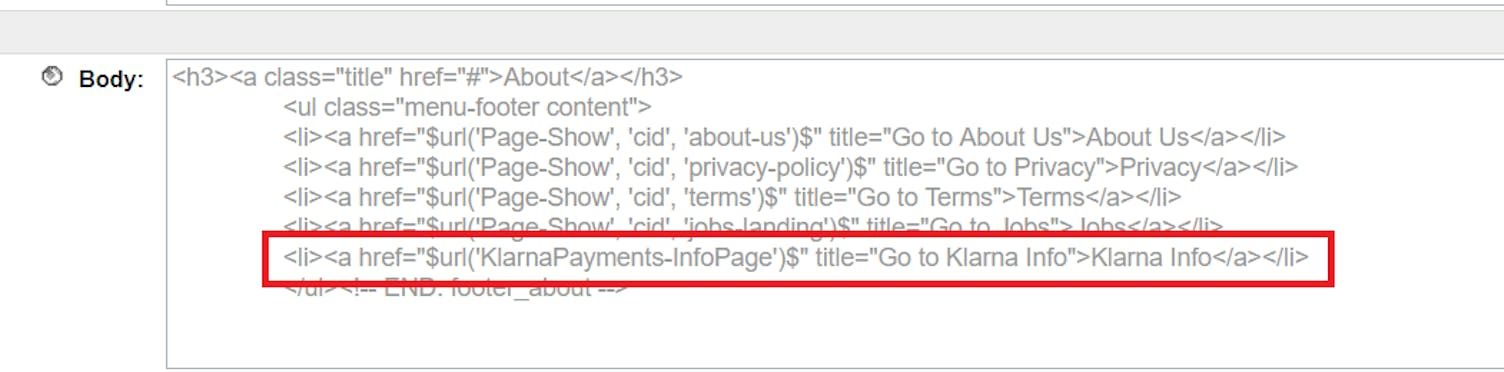
Code example
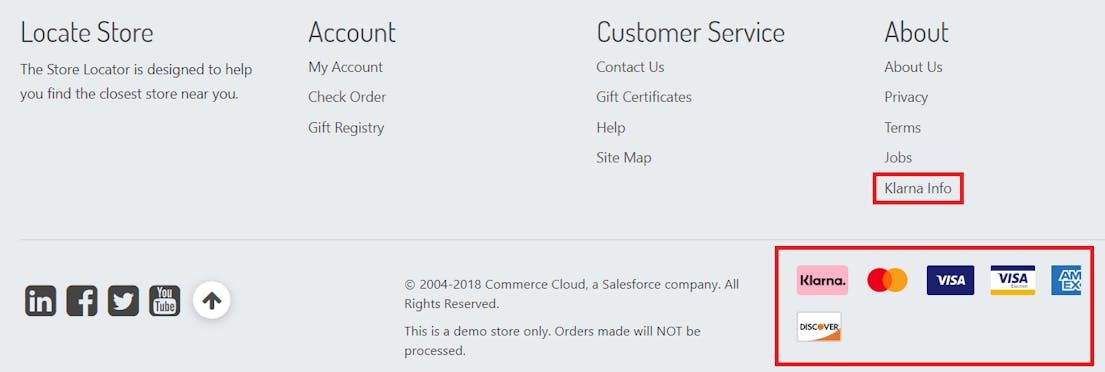
Footer log in an SFCC test store.
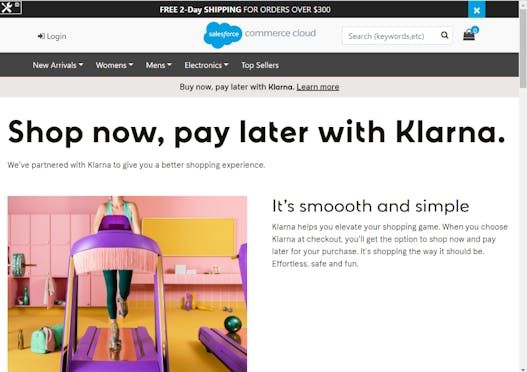
Klarna FAQ page on SFCC.
For more information regarding On-Site Messaging customizations and best practices, please refer to the Klarna Developer Docs. Integration Best Practices and information about Klarna Branding and Co-marketing options can be found here.
Integration requirement
It is the merchant’s responsibility to ensure that user consent is collected when required for On-Site Messaging placements for your local market to abide by legal requirements, for example, EU cookie-guide in Klarna Partner Portal.
Related articles
Jump to section...