

Overview
Read about managing orders in the Adobe Commerce Klarna extension.
3 min read
Order management is your one-stop shop for everything you need to handle post-order actions.
The Klarna Adobe Commerce extension provides functionality so that you can perform order management actions in the Adobe Commerce Admin. While you can manage the order the Klarna merchant portal, it's not recommended as updates made in the Klarna merchant portal don't update the shop system and can cause the data to be out of sync between the shop and Klarna.
For more information about Order management features, see the Order managment documentation.
Features
The Adobe order management offers the following features:
- It's usable for all Klarna orders placed through the Klarna extension
- It supports invoice and refund IDs from external systems, for example, Enterprise resource planning (ERP) systems
Order lifecycle
With order management, you can perform several actions after an order is placed. The key actions are:
- Invoice creation (capture)
- Cancellation
- Refund
- Release of remaining authorization amount
All these actions are done on the respective order page in the Admin in Sales > Orders.
Note the specific behavior in the order lifecycle:
- The shop order isn't set to Paid until the shop order is invoiced. Invoicing the shop order triggers the capture of the Klarna order.
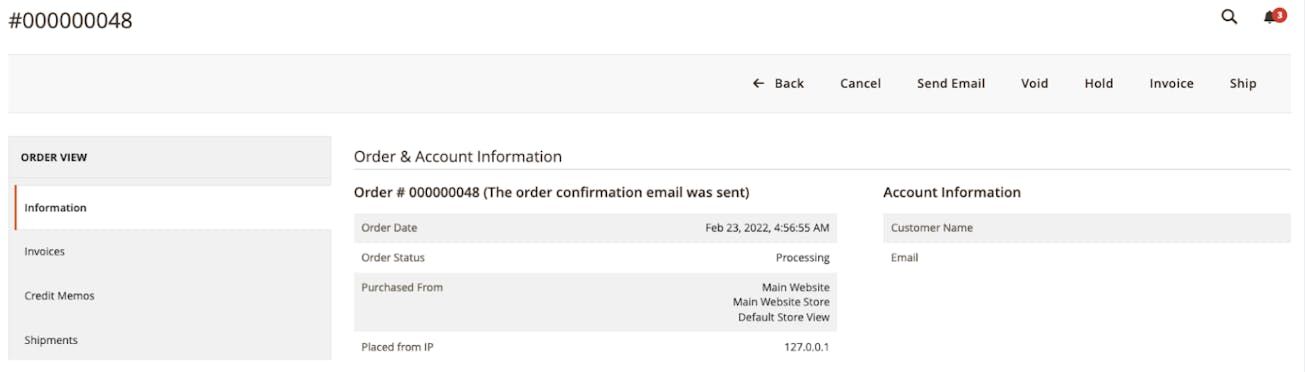
Manage Klarna orders in the Orders menu in the Adobe Commerce Admin.
Refunding an order
Refunds are created in Adobe Commerce using Credit Memos. Refunds are not done on the Order, but on the Invoice. You can navigate to the desired invoice one of two ways. You can find the invoice from the invoice list under Sales->Invoices
Once you have selected and opened the invoice, click **Credit Memo. **Make a full refund by clicking the Refund button without changing any of the amounts.
Using Refund Offline, only updates Adobe Commerce, not Klarna. Always use Refund when adjusting the order in Credit Memo.
Refunding a partial order is done same way. You just need to change the quantity of the items to refund.
Usable for all Klarna orders
You can use the Order management feature within the Klarna extension to manage all orders placed with Klarna.
Reference identifiers from external systems
There are stores that are connected to external systems, for example, ERP systems. Such systems create and store a reference identifier of an invoice. The order management system of the ERP transfers the reference to the store. You can then use the reference in the Klarna API requests for invoice creation and refund, ensuring there is a correct mapping of order identifiers between the ERP and Klarna.
Jump to section...