

Installing Klarna payments
This article provides a step-by-step guide on installing Klarna payments in your Wix store.
2 min read
Two ways to enable Klarna
There are two ways to enable Klarna Payments on Wix:
- 1.By onboarding directly with Klarna and enabling Klarna as outlined below.
- 2.By enabling Klarna in Wix Payments (only available for US merchants).
To install Klarna as a payment provider in your Wix store, follow these three easy steps:
- 1.Sign up with Klarna:
- 1.1.a. Create a merchant account and sign up with Klarna.
- 2.Get and save your Klarna API credentials:
- 2.1.a. Go to the Settings section in the Merchant portal.
- 2.2.b. Download and open the file. The Klarna API credentials consist of a Username and password and you'll need them in the next step.
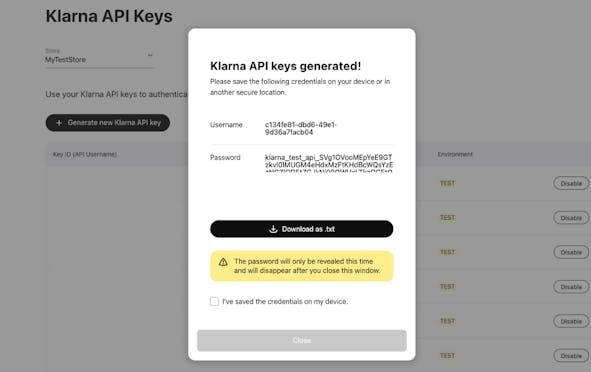
API keys consist of a username and password that will be needed to enable Klarna in Wix.
- 1.Connect Klarna to your Wix store:
- 1.1.a. Navigate to the Accept Payments tab within your dashboard settings.
- 1.2.b. Click on See More Payment Options > Connect next to Klarna.
- 1.3.c. Enter your Klarna API credentials (username and password) and click on Connect.
Detailed Wix payments documentation
For detailed documentation of Klarna payments for Wix, see here.
In summary:
- To install Klarna payments in your Wix store, you need to log into the Klarna Merchant portal with your Klarna Merchant account.
- Then, get and save your Klarna API credentials from the Merchant portal.
- Finally, connect Klarna in your Wix store's dashboard settings.