

Integration via Messaging API
Explore the flexibility and advantages of integrating Klarna's Messaging API.
Integrate Messaging API to display branded payment options when SDK use isn’t feasible, ensuring a consistent and compliant checkout experience.
Integrate Klarna On-site Messaging using the Messaging API when Klarna SDK cannot be used due to infrastructure limitations. This integration allows you to display Klarna-branded promotional messages dynamically on your website, including product pages, cart pages, and banners.
When the Klarna SDK cannot be implemented, the Messaging API provides an alternative way to retrieve localized content such as text, icons, and links that adapt to transaction amounts and customer context. This ensures that customers are informed about Klarna’s flexible payment options before reaching checkout.
Prerequisites recap
Before you integrate On-site messaging, check that you meet the following prerequisites:
- 1.Ensure that you have Klarna enabled with your Acquiring Partner.
- 2.Confirm you have access to the Klarna Portal.
- 3.Inside Klarna Portal:
- 3.1.Confirm that you have generated an API key.
- 4.You have your Partner account ID
- 5.Messaging API access is enabled for your account.
- 6.You can render HTML, parse JSON, and manage client-side state.
Integration overview
Here's an overview of all the steps to add On-site messaging using Messaging API into your website:
- Choose the correct placement endpoint:
- Credit promotion: [ getCreditPromotionMessagingForAutoSize] or [ getCreditPromotionMessagingForBadge]
- Top Strip: [ getTopStripPromotionMessagingForAutoSize] or [ getTopStripPromotionMessagingForBadge]
- Make an authenticated request with required parameters (locale, and for credit promotion also amount and currency).
- Parse and render the returned messaging parts (and icon for badge variants).
- Configure link behavior based on
context(INFO vs AUTH). (Optional) - Enable pre-qualification using an interoperability token to personalize messaging.
Integration details
Step 1: Retrieve OSM messaging
All placement APIs share a common base path. Use the following pattern and specify the appropriate placement key: {path}/messaging/{placement_key}
Placements Keys:
credit-promotion-auto-sizecredit-promotion-badgetop-strip-promotion-auto-sizetop-strip-promotion-badge
Credit Promotion Placements
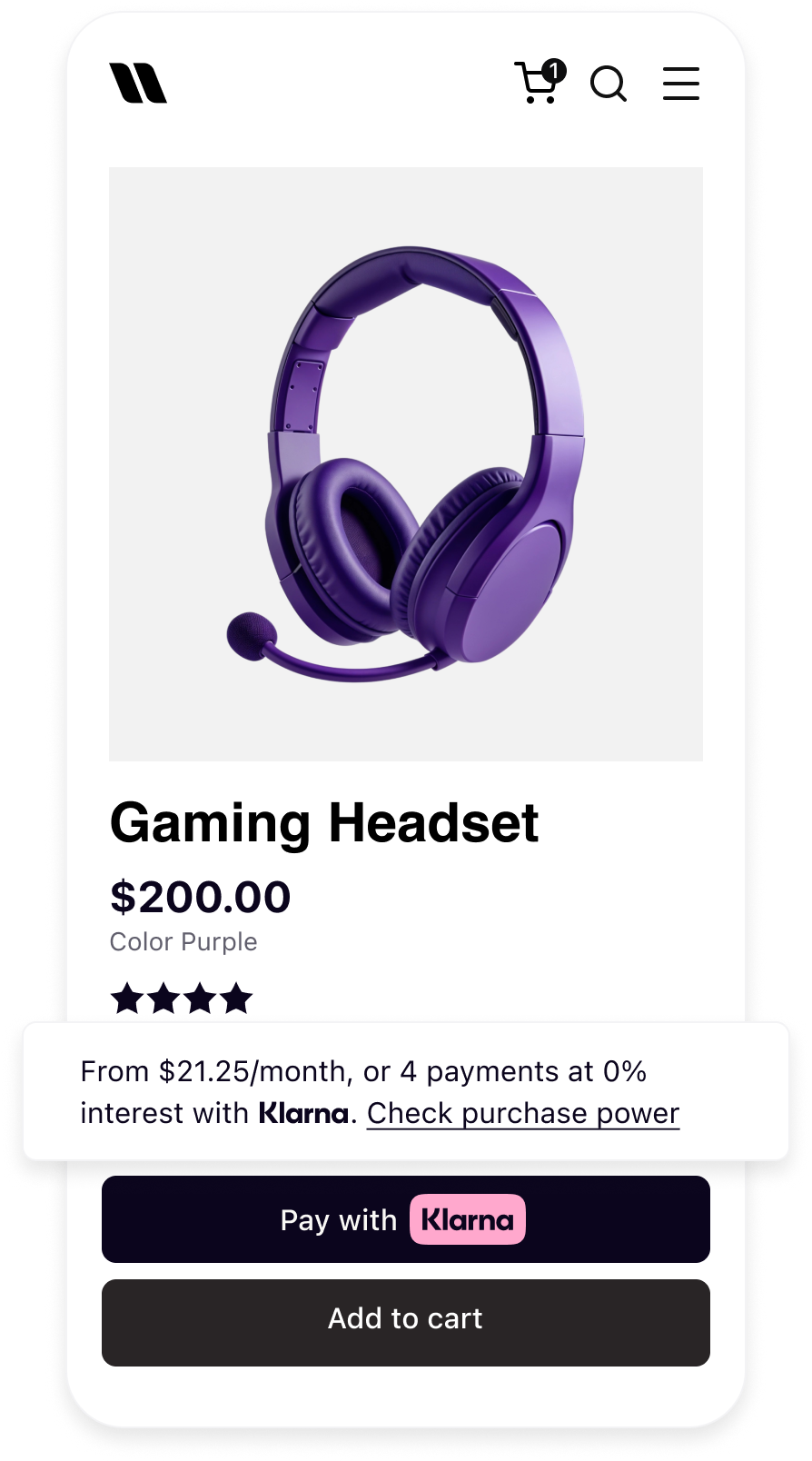 | 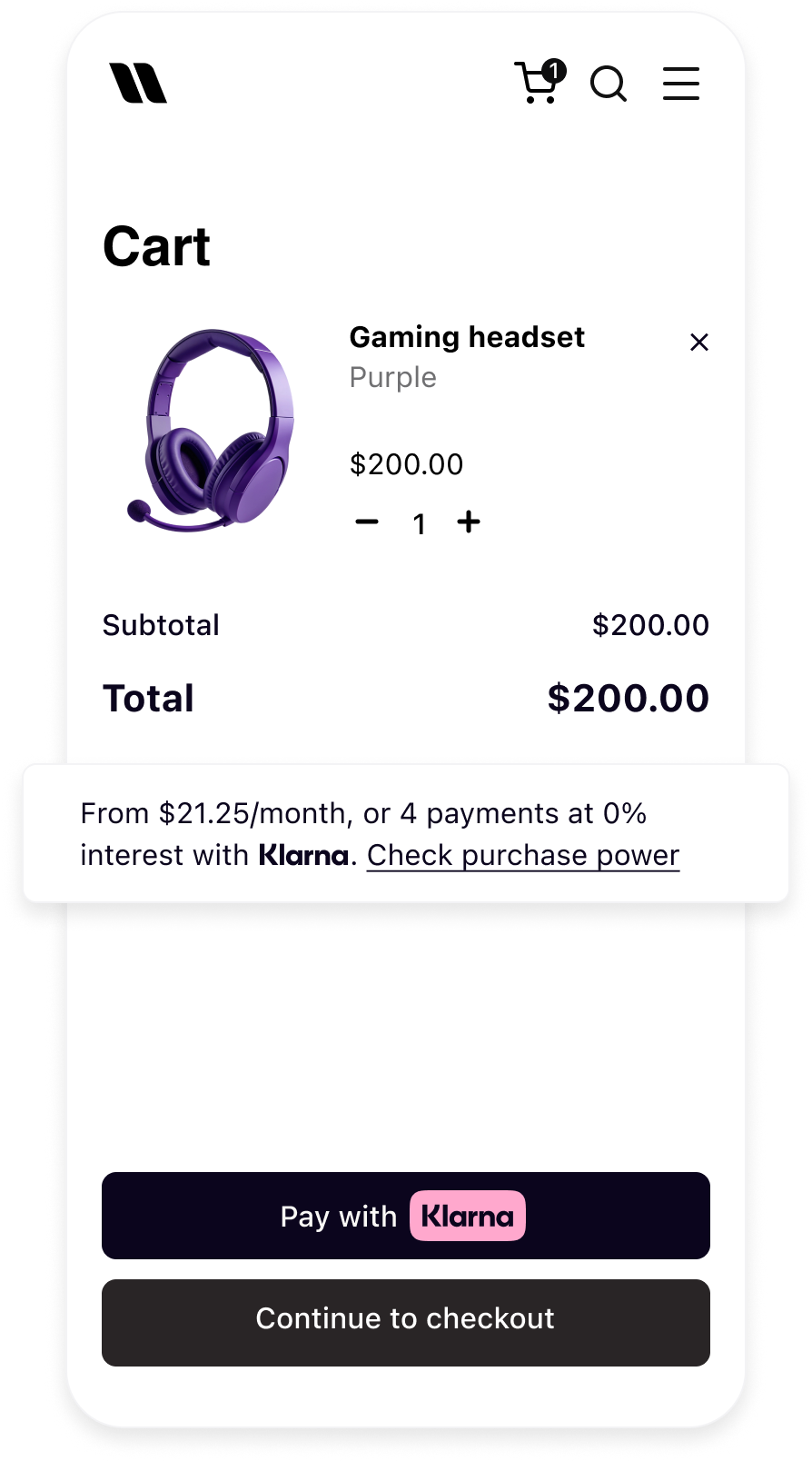 |
| Product detail page with On-site Messaging | Cart page with On-site Messaging |
The page details the integration of Kl that should be used in order to specify the placement to be displayed.
| Placement types | Characteristics |
|---|---|
credit-promotion-auto-size | Displays interactive Klarna messaging. Your customers can click on it and expand the information on the payment methods with calculated prices. Mentions Klarna inline as part of the text. |
credit-promotion-badge | Displays interactive Klarna messaging. Your customers can click on it and expand the information on the payment methods with calculated prices. Displays Klarna's logo in svg, |
Auto-size placement
curl https://api-global.test.klarna.com/v2/accounts/{partner_account_id}/payment/messaging/credit-promotion-auto-size?locale=en-GB¤cy=USD&amount=10000 \
-H 'Authorization: Basic <API key>' \
-H 'Content-Type: application/json' \
-H 'Authorization: basic klarna_test_client_VzlkcGhuZXYk...'Badge placement
curl https://api-global.test.klarna.com/v2/accounts/{partner_account_id}/payment/messaging/credit-promotion-badge?locale=en-GB¤cy=USD&amount=10000 \
-H 'Authorization: Basic <API key>' \
-H 'Content-Type: application/json' \
-H 'Authorization: basic klarna_test_client_VzlkcGhuZXYk...'Top strip Placements
Top strip placements are non-amount based and similar to credit promotion placements we can use the same API to retrieve top-strip-promotion-auto-size and top-strip-promotion-badge
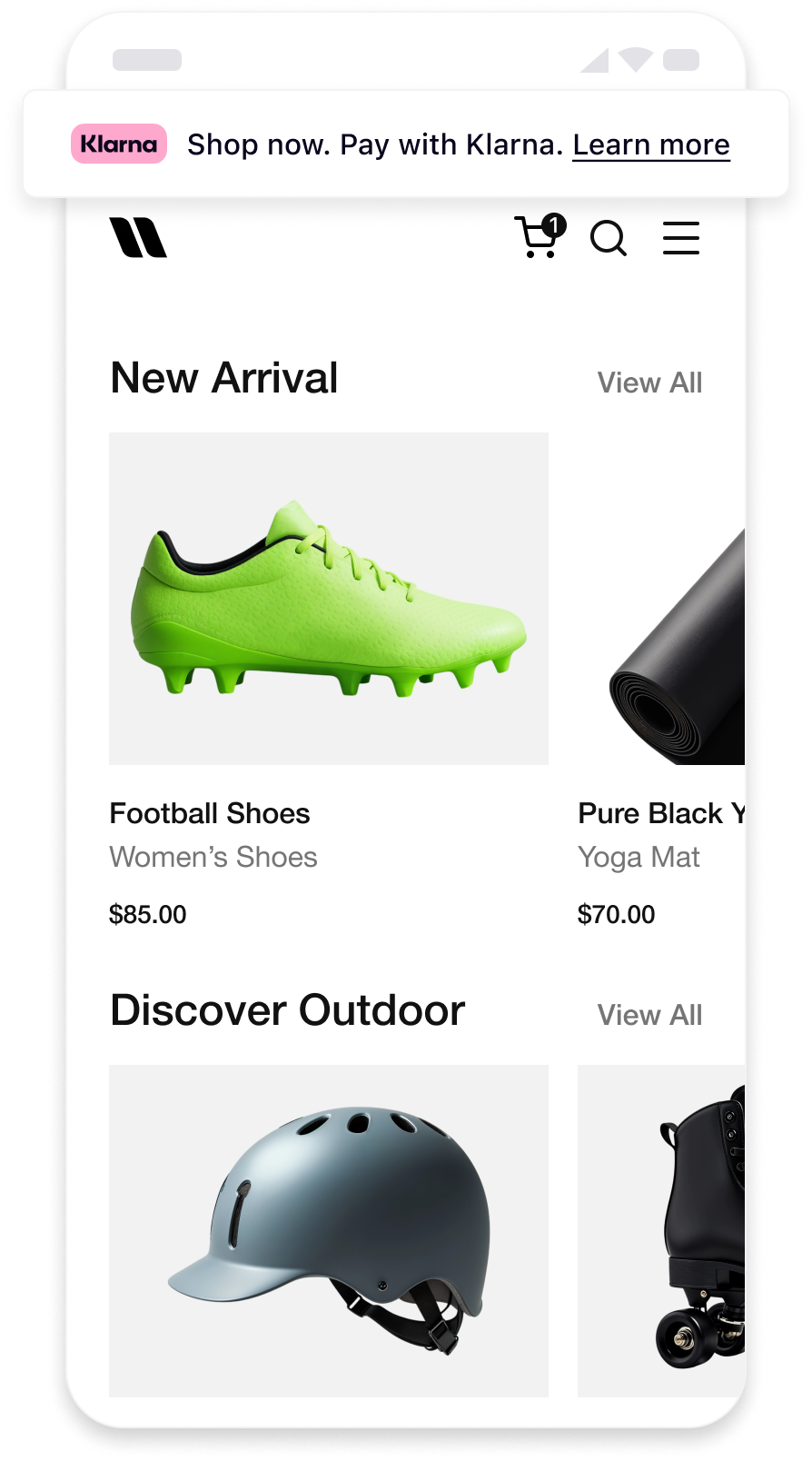
Each placement has an unique key that should be used in order to specify the placement to be displayed.
| Placement types | Options |
|---|---|
top-strip-promotion-auto-size | Recommended as static asset at the top of the pages of your online store. Displays interactive Klarna messaging. Your customers can click on it and expand the information on the payment methods. Mentions Klarna inline as part of the text. |
top-strip-promotion-badge | Recommended as static at the top of the pages of your online store. Displays interactive Klarna messaging. Your customers can click on it and expand the information on the payment methods. |
Auto-size placements
Badge placements
Step 2: Link behavior
The message.parts[].context field determines how links such as Learn more or Check purchase power should behave.
INFO: Informational content. Can open within the same tab, iframe, or WebView.AUTH: Requires customer authentication. Must open in a new browser tab or window. For native implementations:- iOS: Use ASWebAuthenticationSession
- Android: Use Android Custom Tabs
Related articles
API & SDK references